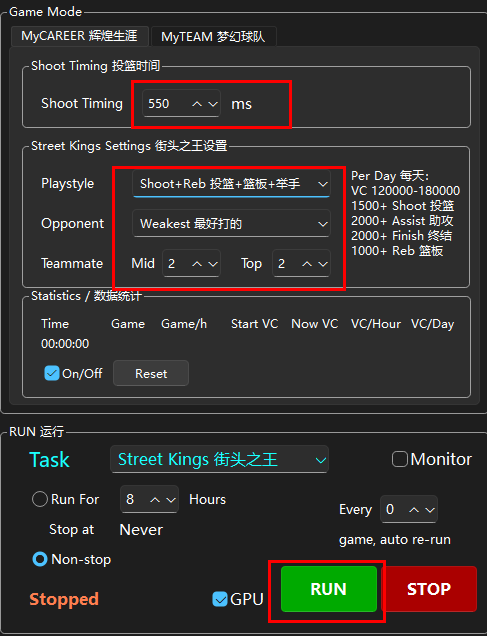
NBA2K Game Settings: MyTEAM
Configure NBA2K game settings for MyTEAM mode
NBA2K Game Settings — MyTEAM
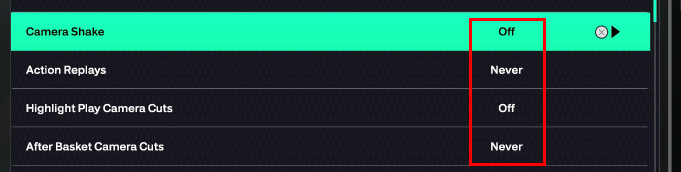
Settings > Camera Shake, Replays, Highlights, Cuts
Turn it all off.
Otherwise it will seriously affect your efficiency.
Manage > Lineups > Edit > Gameplan > Coach Plan > Coach Settings
Configure your coach settings as needed for optimal script performance.
Lineup Setup
It's recommended to prepare 2–3 lineups. Here's the optimal setup method:
- Find a Shooting Guard (SG) with fast shot release and high three-point rating
- Purple Card or Diamond Card is preferred
- Enter the Lineup Setup menu
- Press the Shoot button to clear the current lineup
- Place the selected SG as the Starter SG
- Press the Shoot button again to auto-fill the rest via salary cap
- Exit and save
Creating Backup Lineups
- Create a second lineup with the same SG as Starter SG → auto-fill via salary cap
- Your second lineup should be identical to the first
- Replace the players in PG, SF, PF, and C positions with other cards
- Do NOT modify the bench players — ensure the bench remains identical across all lineups
Result
You'll have 3 lineups with:
- Same SG and identical bench across all lineups
- Different players in PG, SF, PF, and C positions
- This ensures seamless lineup switching if any player gets injured
Tip: If you find other players with the same shot timing as your SG, you can replace the SG too — this prevents script freezing caused by player injuries.
If you get disconnected, the MT Script will automatically restart NBA 2K26 and resume the script.